
Blog
7 Signs Your Phone Battery Needs Replacing

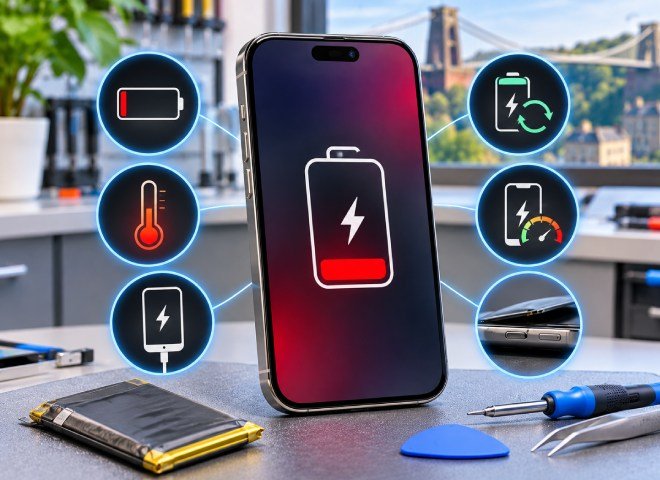
Have you noticed that your phone battery does not last as long as it used to? Perhaps you charge it overnight, but by lunchtime the battery is already running low. Or maybe your phone switches off unexpectedly, even when the battery percentage suggests there is still plenty of power left.
These problems can be frustrating, particularly when you depend on your smartphone for work, communication, navigation and everyday activities.
Like any rechargeable battery, a mobile phone battery gradually loses its ability to hold a charge. Over time, its performance declines, and eventually, replacing it may be the best solution.
If you are experiencing these problems, understanding the warning signs can help you decide when to arrange a professional repair.
In this guide, we explain seven common signs that your phone battery needs replacing, what causes battery deterioration and where to find reliable Phone Battery Replacement in Bristol.
1. Your Phone Battery Drains Much Faster Than Before
One of the most common signs of battery deterioration is unusually fast battery drain.
You might remember charging your phone once a day, but now you find yourself reaching for the charger several times throughout the day.
For example, your battery may drop from 100% to 50% within a few hours, even when you are only using basic applications.
Although demanding apps, background activity and poor network signals can also affect battery life, a noticeable decline over time may indicate that the battery has lost capacity.
If your phone battery is draining fast despite normal usage, it may be worth having its battery health checked.
2. Your Phone Is Not Holding Its Charge
Does your phone lose battery percentage even when you are not using it?
A healthy battery should retain most of its charge when your device is idle. However, an ageing battery may lose power much more quickly than expected.
You might notice that:
- Your phone loses charge overnight.
- The battery percentage drops while the phone is sitting unused.
- You need to recharge more frequently.
- Your device struggles to maintain a consistent battery percentage.
This problem can be particularly inconvenient when you are away from home and need your phone throughout the day.
A technician can check whether the problem is caused by battery deterioration, background applications or another hardware issue.
3. Your Phone Switches Off Unexpectedly
Unexpected shutdowns are another warning sign that your phone battery may be reaching the end of its useful life.
You might be using your phone when it suddenly switches off, even though the battery indicator shows 20%, 30% or more.
This can happen because an ageing battery may struggle to deliver the power required by the phone, particularly when running demanding applications.
Cold temperatures and software problems can also contribute to unexpected shutdowns.
If your device repeatedly switches off without warning, getting the battery and charging system inspected is a sensible next step.
4. Your Phone Takes Too Long to Charge
A phone that takes unusually long to charge can sometimes indicate a battery problem.
For example, you might connect your phone to its charger before going to bed, only to find that it has not reached a full charge by morning.
However, slow charging does not always mean the battery needs replacing.
Other possible causes include:
- A damaged charging cable.
- A faulty charging adapter.
- Dust or debris inside the charging port.
- Charging port damage.
- Software-related charging issues.
- Battery deterioration.
Before arranging an iPhone battery replacement or Samsung battery replacement, it is important to identify the actual cause of the problem.
Replacing the battery will not fix a faulty charging port or damaged charging accessory.
5. Your Phone Gets Hot During Normal Use
It is normal for smartphones to become slightly warm when charging, playing games or using demanding applications.
However, excessive or unusual heat during everyday activities may indicate an underlying problem.
If your phone becomes noticeably hot while performing simple tasks, the battery could be one of several possible causes.
Other factors, including software activity, damaged charging equipment and processor usage, can also produce heat.
Important: If your phone battery is swelling, the screen or back cover is lifting, or the device becomes unusually hot, stop using and charging it. Do not press, puncture or attempt to remove the battery yourself. Arrange a professional safety assessment.
6. Your Battery Percentage Keeps Jumping
Have you ever noticed your battery percentage suddenly changing without any obvious reason?
For example, your phone might show 65% battery, then drop to 40% within a short period. Sometimes, it may even increase slightly after restarting the device.
This can happen when an ageing battery can no longer provide a reliable indication of its remaining capacity.
Battery calibration issues and software problems can also cause inaccurate percentage readings.
If these changes happen regularly, especially alongside poor battery life or unexpected shutdowns, it is worth having the device inspected.
7. Your Phone Battery Is Swelling
A swollen phone battery is one of the most serious signs that something is wrong.
As lithium-ion batteries deteriorate or become damaged, gases can build up inside the battery, causing it to expand.
You may notice:
- The phone screen lifting away from the frame.
- The back cover becoming loose.
- A visible gap appearing around the phone.
- The device looking unusually thick or uneven.
- The screen becoming distorted.
Battery swelling should never be ignored.
Stop using and charging the device immediately. Keep it away from heat and flammable materials, and arrange professional assistance.
Do not try to squeeze the battery back into place or open the phone yourself.
How Long Does a Mobile Phone Battery Usually Last?
Most modern smartphone batteries are designed to provide reliable performance for several years, although their lifespan depends on usage, charging habits, temperature and the number of charging cycles.
Over time, every rechargeable lithium-ion battery gradually loses its original capacity.
Factors that can affect battery lifespan include:
Frequent charging cycles: Repeated charging and discharging gradually reduce battery capacity.
High temperatures: Excessive heat can accelerate battery ageing.
Heavy usage: Gaming, video recording and demanding applications can increase battery stress.
Charging habits: Keeping a phone exposed to high temperatures while charging can affect long-term battery health.
Battery age: Even with careful use, battery capacity naturally decreases over time.
There is no universal replacement date for every phone. The best approach is to monitor battery performance and arrange an inspection when you notice persistent problems.
When Should You Consider iPhone Battery Replacement?
Apple provides a Battery Health feature that helps users understand their iPhone battery’s condition.
You can usually check it by following these steps:
- Open Settings.
- Select Battery.
- Tap Battery Health & Charging (the exact wording can vary by iOS version).
- Review the Maximum Capacity and any battery service recommendations.
Maximum Capacity indicates how much charge the battery can hold compared with when it was new.
For example, if your iPhone originally held 100% of its designed capacity but now shows 80%, it has experienced noticeable battery wear.
Apple generally recommends considering battery service when maximum capacity has significantly declined, particularly around the 80% level, although actual service recommendations depend on the device and its condition.
If your iPhone is draining quickly, shutting down unexpectedly or displaying a service warning, professional battery replacement may help restore its everyday performance.
When Does Your Samsung Phone Need a Battery Replacement?
Samsung smartphones also use rechargeable batteries that gradually lose capacity.
If your Samsung phone is no longer holding charge, gets unusually warm or switches off unexpectedly, its battery may need attention.
Samsung users can check battery condition through the Samsung Members application, where available.
The general process is:
- Open Samsung Members.
- Select Support.
- Find Phone Diagnostics.
- Choose Battery Status.
- Follow the instructions to check the battery condition.
The available options can vary depending on your Samsung model and software version.
If the diagnostic results indicate reduced battery performance, a professional inspection can help determine whether replacement is necessary.
For customers searching for Samsung battery replacement in Bristol, choosing a repair provider familiar with Samsung devices is important because different models have different battery designs and repair requirements.
How Much Does Phone Battery Replacement Cost in Bristol?
The price of mobile phone battery replacement depends on the manufacturer, model and type of replacement battery required.
For example, replacing the battery in an older iPhone may cost less than replacing the battery in a newer premium Samsung device.
The final quotation may depend on:
- Your phone’s exact model.
- Battery availability.
- Genuine or compatible replacement options.
- Repair complexity.
- Labour and warranty arrangements.
It is always worth requesting a quotation before booking your repair.
A professional inspection can also help rule out other problems, such as faulty charging ports or software-related battery drain.
Is It Better to Replace Your Phone Battery or Buy a New Phone?
If your smartphone is working properly apart from its battery, replacement is often worth considering.
Purchasing a new phone can be expensive, especially when your current device still meets your daily requirements.
Battery replacement may help you:
- Continue using your existing smartphone.
- Avoid the expense of buying a new device.
- Improve everyday battery life.
- Reduce the need for frequent charging.
- Keep your existing applications and settings.
- Extend the useful life of your phone.
However, if your device has several hardware problems, a damaged display or other expensive faults, compare the complete repair cost with the price of a replacement phone.
Where to Get Phone Battery Replacement in Bristol
If your smartphone is showing any of the warning signs mentioned above, getting the battery checked by an experienced repair technician is a sensible decision.
At Bristol Phones & Tech Specialists, customers can discuss their mobile phone problems and explore suitable repair options.
Whether you need an iPhone battery replacement, Samsung battery replacement or assistance with another mobile phone brand, a proper assessment can help identify the cause of the problem.
Instead of replacing your phone unnecessarily, find out whether a new battery could help restore its performance.
Before arranging your visit, contact the repair shop to check battery availability, repair options and estimated costs for your particular model.
Frequently Asked Questions
1. How do I know if my phone battery needs replacing?
Common signs include rapid battery drain, unexpected shutdowns, slow charging, reduced battery capacity and a phone that struggles to hold its charge. Battery swelling is a serious warning sign that requires immediate attention.
2. How much does phone battery replacement cost in Bristol?
The price depends on your phone model, battery type and repair requirements. Contact a local repair provider for an accurate quotation.
3. How long does an iPhone battery replacement take?
Many standard iPhone battery replacements can be completed within a few hours, depending on the model, parts availability and repair workload.
4. Can a phone battery be replaced without losing data?
A standard battery replacement does not normally erase personal data. However, backing up important information before any repair is always recommended.
5. Is it worth replacing an old Samsung phone battery?
If your Samsung phone is otherwise working well, replacing the battery may be more economical than buying a new device. Consider the phone’s overall condition before deciding.
6. Why does my phone battery drain overnight?
Possible causes include background applications, poor network connectivity, software issues and an ageing battery. Checking battery usage and having the device inspected can help identify the problem.
7. Can I continue using a phone with a swollen battery?
No. Stop using and charging the phone immediately. A swollen lithium-ion battery can be hazardous and should only be assessed and handled by a qualified repair professional.
Final Thoughts
Your smartphone battery plays an important role in how reliably your device performs throughout the day. If you are constantly charging your phone, experiencing unexpected shutdowns or noticing that the battery percentage drops unusually quickly, it may be time to investigate the problem.
Battery deterioration is a normal part of smartphone ownership, but you do not necessarily need to replace your entire device when its battery starts losing performance.
If you are looking for Phone Battery Replacement in Bristol, contact Bristol Phones & Tech Specialists to discuss your phone model, check available repair options and request a quotation.
A simple battery assessment could help you understand the problem and decide on the right next step