
Blog
10 Common Mobile Phone Problems and How to Fix Them

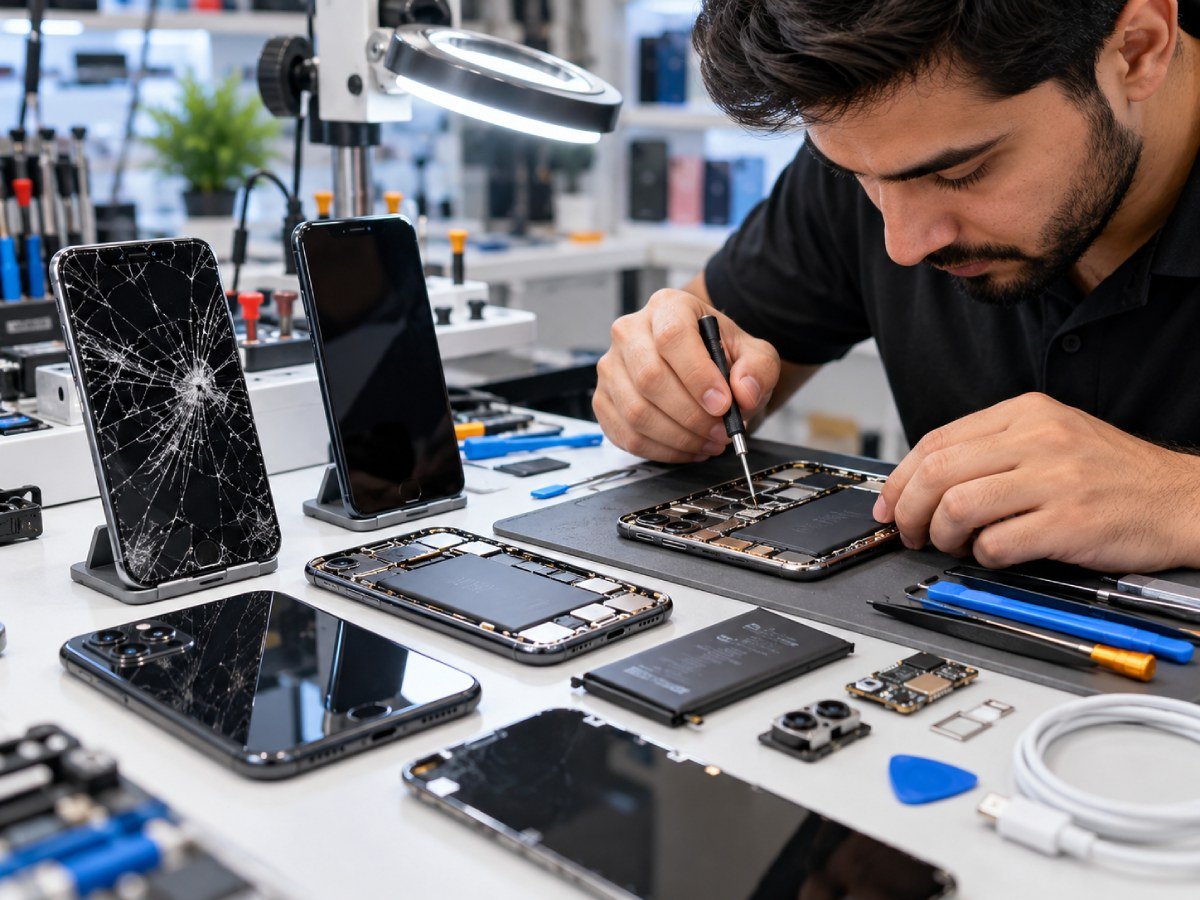
Mobile phones have become an essential part of our daily lives. From making calls and sending messages to managing work, browsing the internet and capturing memorable moments, we rely on our smartphones for almost everything. However, like any electronic device, mobile phones can develop technical problems over time.
Some issues are minor and can be resolved at home, while others require professional attention. A cracked screen, poor battery life, charging problems or unexpected software errors can make using your phone frustrating.
If you are experiencing problems with your smartphone, understanding what causes them and how to fix them can save you time and unnecessary expenses.
In this guide, Bristol Phones & Tech Specialists explores 10 common mobile phone problems, their possible causes and practical solutions to help keep your device working properly.
1. Cracked or Broken Mobile Phone Screen
A cracked screen is one of the most common problems smartphone users experience. Dropping your phone onto a hard surface, accidentally sitting on it or applying too much pressure can damage the screen.
Depending on the impact, you might notice small cracks, damaged touch functionality, black spots or lines across the display.
Common signs:
- Visible cracks or scratches on the screen.
- Touchscreen becoming unresponsive.
- Black patches or coloured lines on the display.
- Screen flickering or displaying unusual colours.
- Difficulty using certain areas of the touchscreen.
How to fix it:
For minor scratches, a screen protector may help prevent additional surface damage, but it cannot repair existing cracks.
If the display is broken or the touchscreen no longer responds properly, professional screen replacement is usually the best solution.
Avoid pressing damaged areas because this could make the problem worse.
If you need mobile phone screen repair in Bristol, choose an experienced technician who can inspect your device and recommend the appropriate replacement.
2. Mobile Phone Battery Draining Quickly
Does your phone lose battery even when you are not using it? Battery drainage is another common issue affecting Android smartphones and iPhones.
Smartphone batteries naturally lose capacity as they age. However, excessive battery consumption can also result from background applications, high screen brightness, outdated software or poor network signals.
Common signs:
- Battery percentage drops unusually quickly.
- Phone switches off unexpectedly.
- Device takes longer than usual to charge.
- Battery percentage changes suddenly.
- Phone becomes unusually hot during normal use.
How to fix it:
Try these simple steps:
- Reduce your screen brightness.
- Close applications running unnecessarily in the background.
- Disable Bluetooth and GPS when you are not using them.
- Check battery usage in your phone settings.
- Update your operating system and applications.
- Use a compatible, good-quality charging adapter.
If your battery continues draining quickly, it may need replacing.
Professional mobile phone battery replacement in Bristol can help restore your device’s everyday performance.
Important: If your battery becomes swollen, stop using and charging the phone. Do not attempt to puncture or remove the battery yourself.
3. Phone Not Charging Properly
A phone that refuses to charge can quickly become a serious inconvenience. Charging problems can occur because of damaged cables, faulty adapters, blocked charging ports or internal hardware issues.
Common signs:
- Phone does not recognise the charger.
- Charging repeatedly connects and disconnects.
- Battery charges very slowly.
- Charging cable feels loose.
- Phone only charges when the cable is positioned at a certain angle.
How to fix it:
Start by testing another compatible charging cable and adapter. You should also try a different power socket to rule out an electrical issue.
Check the charging port for visible dust or debris. Never insert needles, pins or other metal objects into the port.
If changing the charging accessories does not resolve the issue, the charging connector or internal charging circuit may be damaged.
A professional phone charging port repair in Bristol can help identify the fault and prevent unnecessary replacement of other components.
4. Mobile Phone Overheating
It is normal for smartphones to become slightly warm during activities such as gaming, video streaming, navigation and charging.
However, excessive overheating should not be ignored. It can affect battery performance, reduce processing speed and sometimes cause the phone to shut down automatically.
Common causes:
- Running multiple demanding applications.
- Playing games for extended periods.
- Using the phone while charging.
- Exposure to direct sunlight.
- Faulty batteries or charging accessories.
- Applications consuming excessive background resources.
How to fix it:
Close unnecessary applications and temporarily stop demanding activities. Remove the phone case if it is trapping heat and allow the device to cool naturally in a shaded, ventilated area.
Avoid placing your smartphone in a refrigerator or using ice to cool it down.
You should also check for software updates and investigate applications that may be consuming excessive resources.
If overheating continues even when the phone is not being used, a professional technician should inspect the battery and internal components.
5. Slow Performance and Frequent Freezing
Does your smartphone take too long to open applications or respond to touch? Slow performance is particularly common on older devices and phones with limited storage capacity.
Over time, unnecessary files, outdated applications and background processes can affect your phone’s performance.
Common signs:
- Applications take too long to open.
- Phone freezes while browsing or gaming.
- Touchscreen responses become delayed.
- Applications close unexpectedly.
- Device restarts without warning.
How to fix it:
Try restarting your phone first. This can resolve temporary software problems.
You can also improve performance by:
- Removing applications you no longer use.
- Deleting unnecessary downloads and duplicate files.
- Clearing application cache where appropriate.
- Checking available storage space.
- Updating your operating system.
- Checking whether a recently installed application is causing problems.
Always back up important information before performing a factory reset.
If your phone continues freezing, professional mobile phone troubleshooting in Bristol may help identify deeper software or hardware problems.
6. Wi-Fi and Mobile Data Connection Problems
Internet connectivity is essential for modern smartphone users. Whether you are browsing websites, checking emails, using social media or making video calls, a poor connection can interrupt your daily activities.
Sometimes the problem comes from your internet provider or router. In other cases, incorrect phone settings or damaged internal components may be responsible.
Common signs:
- Phone cannot connect to available Wi-Fi networks.
- Wi-Fi disconnects repeatedly.
- Mobile data stops working.
- Internet speed becomes unusually slow.
- Bluetooth connections keep dropping.
How to fix it:
First, switch Wi-Fi or mobile data off and on again. Restart your smartphone and check whether other devices can connect to the same Wi-Fi network.
Other possible solutions include:
- Forgetting the Wi-Fi network and reconnecting.
- Checking that airplane mode is disabled.
- Confirming mobile data is enabled.
- Checking your network provider’s service status.
- Resetting network settings if necessary.
Remember that resetting network settings may remove saved Wi-Fi passwords and Bluetooth pairings.
If connectivity problems continue across different networks, a technician may need to inspect the phone’s antenna or internal components.
7. Speaker and Microphone Not Working
Speaker and microphone problems can make everyday communication difficult. You might struggle to hear the person on the other end of a call, or they may not be able to hear your voice clearly.
These problems can develop because of dust, dirt, moisture, accidental damage or faulty internal components.
Common signs:
- No sound during phone calls.
- Microphone does not record your voice clearly.
- Loudspeaker produces distorted audio.
- Sound becomes unusually quiet.
- Voice recordings contain interruptions.
How to fix it:
Check your volume settings and make sure your smartphone is not connected to an unwanted Bluetooth audio device.
Test the microphone using a voice recording application. You can also play music or a video to check the speaker.
Carefully clean external speaker openings using a soft, dry brush. Do not insert sharp objects or liquids into the openings.
If the problem continues, the speaker or microphone may require professional repair or replacement.
8. Camera Not Working or Taking Blurry Pictures
Smartphone cameras are used for photography, video calls, social media and scanning documents. Therefore, camera problems can be particularly frustrating.
Sometimes blurry pictures are caused by a dirty lens. However, persistent focusing problems or a completely black camera screen may indicate a software or hardware fault.
Common problems:
- Camera application displays a black screen.
- Pictures appear blurry.
- Camera struggles to focus.
- Flashlight does not work correctly.
- Camera application crashes unexpectedly.
How to fix it:
Start by cleaning the camera lens with a soft microfibre cloth. Remove any protective camera cover that may interfere with the lens.
Next, close and reopen the camera application. Restart your phone and check for available software updates.
You can also test the camera using another application.
If the camera still does not work, the camera module or its internal connection may be damaged. A professional technician can inspect the device and recommend the appropriate repair.
9. Water Damage and Liquid Exposure
Accidentally dropping your phone into water, spilling a drink on it or exposing it to excessive moisture can cause serious internal damage.
Even smartphones advertised as water-resistant are not completely waterproof. Their resistance can also decrease over time because of wear, cracks and previous repairs.
Common signs of water damage:
- Screen flickering or displaying unusual colours.
- Charging problems after liquid exposure.
- Speaker or microphone stops working.
- Phone switches off unexpectedly.
- Camera lens becomes foggy.
- Device refuses to turn on.
How to fix it:
If your smartphone gets wet, take immediate precautions:
- Disconnect the charger if it is safe to do so.
- Switch the phone off.
- Remove the protective case and detachable accessories.
- Gently dry the exterior using a soft cloth.
- Keep the device away from heat sources.
- Arrange a professional inspection as soon as possible.
Do not use a hairdryer, place the phone in rice or attempt to charge it to check whether it still works.
Water can cause internal corrosion even when the phone initially appears functional.
Professional water-damaged phone repair in Bristol can help identify affected components and assess whether the device can be restored.
10. SIM Card and Network Signal Problems
Another common smartphone issue is losing mobile network connectivity. Your device may suddenly display messages such as “No Service”, “No SIM” or “Emergency Calls Only”.
This can prevent you from making calls, sending messages or accessing mobile data.
Common causes:
- Incorrectly inserted SIM card.
- Damaged or faulty SIM card.
- Temporary network provider outage.
- Incorrect network settings.
- Damaged SIM tray or internal antenna.
- Software-related connectivity issues.
How to fix it:
Start by restarting your phone and checking whether your network provider is experiencing an outage.
If your phone uses a removable SIM card, switch off the device before carefully removing and reinserting it.
You can also try:
- Enabling and disabling airplane mode.
- Checking network selection settings.
- Testing the SIM card in another compatible phone.
- Installing available software updates.
- Resetting network settings if necessary.
If another working SIM card also fails in your device, the problem could be related to the SIM reader, antenna or internal hardware.
In that case, professional mobile phone repair in Bristol can help determine the cause.
When Should You Visit a Professional Mobile Phone Repair Shop in Bristol?
Not every smartphone problem requires professional repair. Many minor software issues can be resolved at home using simple troubleshooting steps.
However, continuing to use a damaged device or attempting complicated repairs without the correct tools can make the situation worse.
Consider professional assistance when:
- Your phone has a cracked screen or damaged display.
- The battery drains rapidly or shows signs of swelling.
- The charging port no longer works.
- Your smartphone repeatedly overheats.
- Your device has suffered water damage.
- The camera, microphone or speaker has stopped working.
- Your phone will not turn on.
- Basic troubleshooting has not resolved the problem.
Choosing the right repair specialist is important. Look for technicians who can explain the fault, discuss available repair options and provide clear information about replacement parts, costs and warranties.
Before handing over your device, remember to back up your important data whenever possible.
How to Prevent Common Mobile Phone Problems
Although some smartphone problems are unavoidable, taking proper care of your device can reduce the risk of damage and extend its lifespan.
Here are some useful maintenance tips:
Use a protective phone case: A good-quality case can help protect your smartphone against accidental drops and everyday impacts.
Apply a screen protector: Screen protectors provide an additional layer of protection against scratches and minor impacts.
Use reliable charging accessories: Choose compatible charging cables and adapters from reputable manufacturers.
Keep your software updated: Regular updates can improve security, fix software bugs and maintain device performance.
Avoid excessive heat: Do not leave your smartphone in direct sunlight or inside a hot vehicle for extended periods.
Keep your phone clean: Remove dust and dirt from the exterior using suitable cleaning materials.
Back up your important information: Regular backups help protect photos, contacts, documents and other important files if your phone becomes damaged.
Small maintenance habits can make a significant difference to your smartphone’s long-term performance.
Final Thoughts
Mobile phone problems can happen at any time, but understanding their causes and possible solutions can make them easier to manage.
Whether you are dealing with a cracked screen, poor battery performance, charging difficulties, overheating, camera problems or software errors, identifying the issue is the first step towards finding the right solution.
While basic problems can often be fixed at home, persistent technical faults and hardware damage should be handled by experienced professionals.
If your smartphone is not working as it should, do not ignore the warning signs. Getting the problem checked early may help prevent further damage and unnecessary expenses.
Bristol Phones & Tech Specialists is focused on helping smartphone users make informed decisions about device maintenance, troubleshooting and professional mobile phone repair in Bristol.
Frequently Asked Questions
1. What are the most common mobile phone problems?
The most common mobile phone problems include cracked screens, battery drainage, charging issues, overheating, slow performance, Wi-Fi connectivity problems, speaker faults, camera issues, water damage and SIM card errors.
2. Can I fix my mobile phone at home?
Yes. Many minor issues, such as temporary software glitches, slow performance and Wi-Fi connection problems, can be resolved at home. However, screen replacement, battery replacement and internal hardware repairs should be handled by experienced technicians.
3. How do I know if my phone battery needs replacing?
If your battery drains unusually quickly, your phone switches off unexpectedly or the battery struggles to hold a charge, it may need replacing. A swollen battery requires immediate professional attention.
4. Is it worth repairing an old mobile phone?
It depends on the device’s age, condition, repair cost and remaining software support. If the repair is affordable and your phone still meets your needs, repairing it may be a sensible option.
5. How long does mobile phone repair take?
Repair time depends on the problem, phone model, availability of replacement parts and repair complexity. Some straightforward repairs may be completed on the same day, while more complicated faults can take longer.
6. Can a water-damaged phone be repaired?
Yes, some water-damaged phones can be repaired. However, success depends on the extent of internal damage, corrosion and the affected components. Professional inspection as soon as possible is recommended.
7. How can I find a reliable phone repair shop in Bristol?
Look for a repair specialist with experience in your phone brand, transparent pricing, quality replacement parts and clear warranty information. Checking customer reviews can also help you make an informed decision.
8. Why does my phone keep freezing?
Phone freezing can be caused by limited storage, outdated software, demanding applications or hardware problems. Restarting your phone, freeing up storage and updating applications may help resolve the issue.